

The Essential Features Pizza Restaurants Should Look for When Choosing a POS System
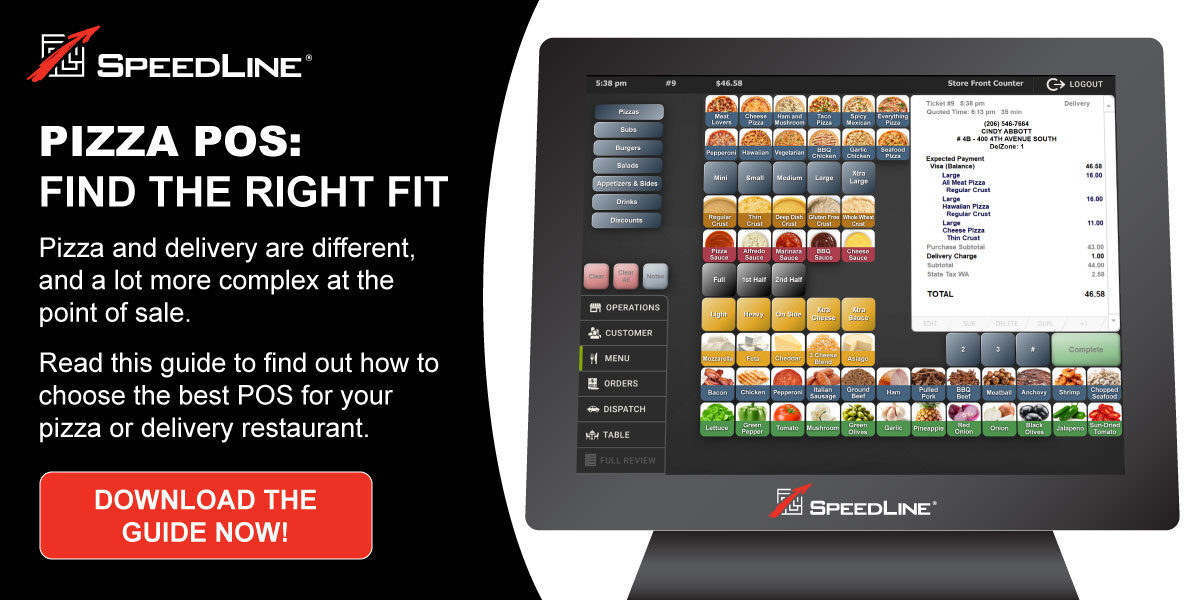
A pizza restaurant POS needs to do more than process payments.
Pizzerias have unique operational challenges that can make a standard restaurant POS difficult to manage. Customers may customize pizzas with multiple toppings, sizes, crusts, and modifiers. Orders may arrive by phone, online, through third-party platforms, or directly in the restaurant. At the same time, employees may be managing kitchen production, pickup orders, delivery orders, drivers, promotions, and customer information.
That means the features built into a pizza POS can have a direct impact on how efficiently a restaurant manages its day-to-day operation.
The right system should help connect the different stages of the customer journey, from taking the order to preparing the food and, when applicable, getting the order to the customer's door.
In this guide, we'll look at the most important pizza POS features restaurants should consider, why those features matter, and how they can work together to support a more connected pizza restaurant operation.
If you're starting with the basics, our guide to What Is a Pizza POS? The Definitive Information Guide for Operators provides a deeper look at what makes a POS different for pizza restaurants.
Once you understand the essential features of a pizza POS, the next step is comparing systems to find the right fit for your operation. Our guide on how to choose the best pizza POS system walks through the key considerations, from online ordering and delivery management to reporting, inventory, and long-term growth.
What Makes a Pizza POS Different?
A point-of-sale system designed for a traditional restaurant may be built primarily around table service, menu items, payments, and basic reporting.
A pizza restaurant can have a very different workflow.
A single order might include:
- Multiple pizzas
- Different sizes
- Different crusts
- Multiple toppings
- Half-and-half combinations
- Extra toppings
- Specialty pizzas
- Sides and beverages
- Coupons or promotions
- Special instructions
- Pickup or delivery
- A scheduled order time
The POS needs to capture all of that information accurately while making the ordering process as efficient as possible for employees.
The operational requirements don't stop when the order is entered.
That same order may then need to move through:
Order → Kitchen → Make Line → Oven → Pickup or Dispatch → Driver → Customer
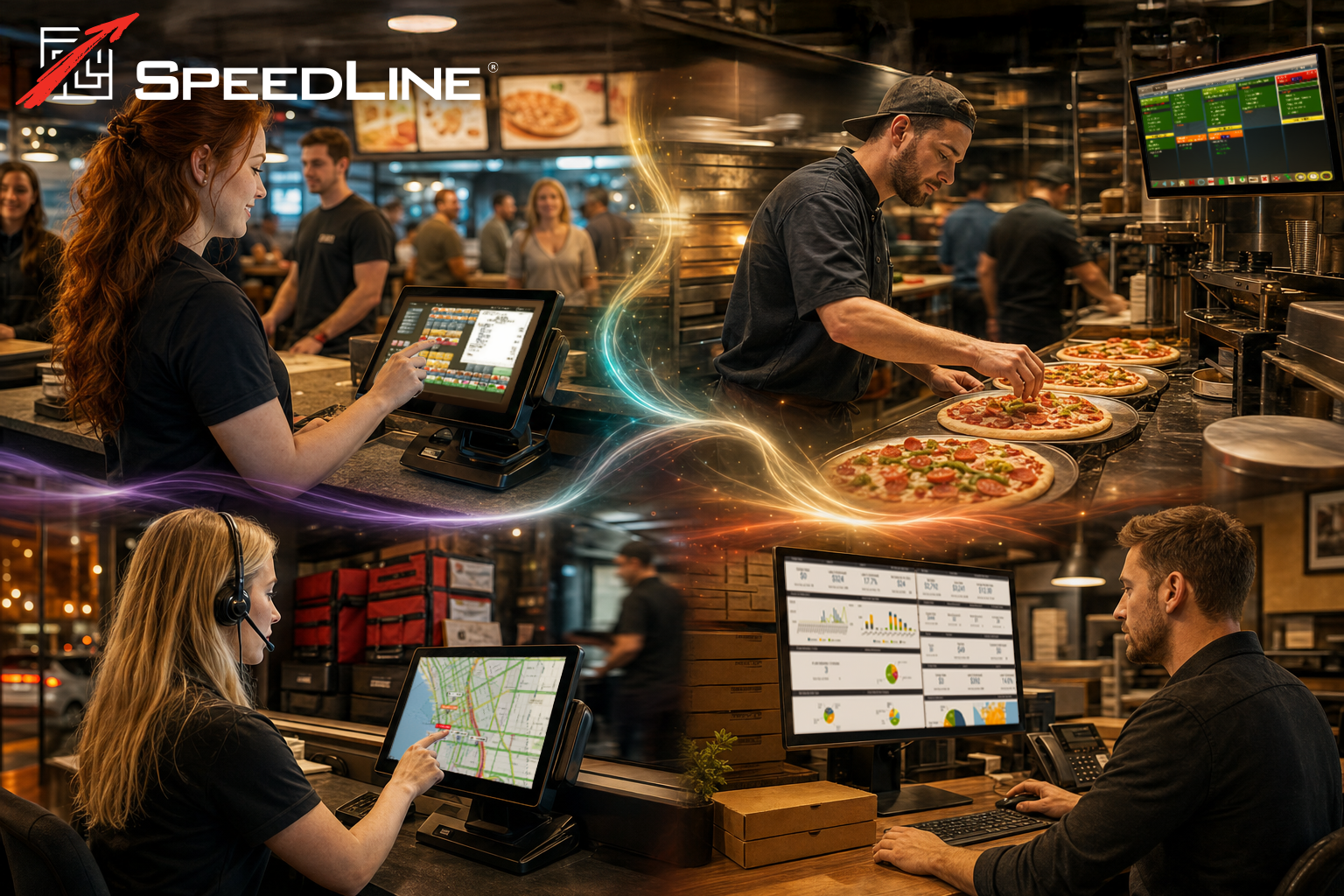
A pizza POS can serve as the central system connecting those different stages.
That's why restaurant operators should evaluate a pizza POS based on more than its payment processing capabilities or the appearance of its screens.
The important question is:
Can the system support the way a pizza restaurant actually operates?
10 Important Pizza POS Features to Consider
Not every pizzeria needs every feature.
A small pickup-focused restaurant may have different requirements than a high-volume delivery operation or a multi-location pizza brand.
However, these are some of the most important capabilities to consider when evaluating a pizza POS for your restaurant.
1. Pizza-Specific Order Entry
Pizza orders can become complicated quickly.
A POS should make it easy for employees to enter customized orders accurately without requiring unnecessary steps.
Important capabilities may include support for:
- Multiple pizza sizes
- Crust selections
- Sauces
- Cheese options
- Toppings
- Extra toppings
- Half-and-half pizzas
- Specialty pizzas
- Modifiers
- Combos
- Sides and beverages
- Special instructions
For example, a customer might order a large pizza with pepperoni and mushrooms on one half and sausage and onions on the other.
The employee should be able to enter that order clearly, and the resulting information should be easy for the kitchen to understand.
Pizza-specific order entry can also help employees work more efficiently during busy periods when orders are arriving quickly.
The goal isn't simply to capture the transaction. It's to capture the order accurately in a way that supports everything that happens afterward.
2. Menu and Modifier Management
A pizza restaurant's menu can contain hundreds of possible combinations.
Managing those options efficiently is an important part of running the POS.
Restaurant operators may need to manage:
- Menu items
- Sizes
- Toppings
- Modifiers
- Prices
- Combos
- Coupons
- Special pricing
- Availability
- Recipes
- Menu changes
A centralized approach to menu management can also help keep information consistent across different ordering channels.
Recipe and menu information can also play an important role in pizza restaurant inventory management, helping connect what a pizzeria sells with the ingredients and costs associated with those menu items.
For example, if a restaurant changes the price of a pizza or adds a new topping, operators don't want to manually update several disconnected systems.
A POS that connects menu information with other restaurant technology can help reduce duplicate work and improve consistency.
3. Online Ordering Integration
Online ordering is now an important part of many pizza restaurant operations.
But accepting online orders is only one part of the process.
The restaurant also needs those orders to move into its normal operational workflow.
Ideally, the customer journey looks something like:
Customer → Online Ordering → Pizza POS → Kitchen → Pickup or Delivery
When online ordering is disconnected from the POS, employees may have to manually re-enter orders into the system.
That creates additional work and can introduce opportunities for errors.
An integrated system can allow online orders to move into the POS and become part of the same workflow used for phone and in-store orders.
Our recent guide, Pizza Online Ordering: The Complete Guide for Pizzerias, goes into greater detail about online ordering, POS integration, aggregator sync, and digital ordering channels.
For a pizza restaurant evaluating POS software, online ordering integration should be considered an essential part of the overall technology environment rather than a separate feature.
4. Delivery Management
For delivery-focused pizzerias, the POS needs to support much more than taking an order.
Delivery management can involve:
- Delivery addresses
- Delivery zones
- Delivery fees
- Minimum order requirements
- Quoted delivery times
- Driver availability
- Driver assignments
- Delivery status
- Customer information
- Driver returns
The more delivery orders a restaurant handles, the more important it becomes to have visibility into what's happening with those orders.
A connected delivery workflow can help restaurant employees understand where an order is in the process and what needs to happen next.
For a deeper look at the technology required by delivery-focused pizzerias, see Pizza Delivery POS: The Complete Guide for Delivery Restaurants.
5. Dispatch and Driver Management
Delivery management and dispatch are closely connected.
Once an order is ready to leave the restaurant, employees need to determine which driver should take it and how deliveries should be organized.
A pizza POS with integrated dispatch capabilities can help employees:
- View orders waiting for delivery
- Assign orders to drivers
- Monitor active deliveries
- Track driver status
- Organize nearby deliveries
- Manage multiple drivers
- Monitor delivery activity
- Coordinate delivery timing
This can become particularly important during peak periods.
A busy Friday evening may involve numerous orders being prepared while several drivers are already on the road. Employees need clear information to make informed dispatch decisions.
That’s where dedicated dispatch functionality can become an important part of the overall pizza POS environment and delivery operation.
Our recent article, Pizza Dispatch Software: What Restaurants Need to Know, explores how dispatch technology can help pizzerias manage drivers, routes, delivery orders, and the overall delivery process more efficiently .
6. Kitchen and Production Management
A pizza POS shouldn't stop being useful once an order has been entered.
The order also needs to reach the people preparing it.
Kitchen production can involve multiple stages, including:
Order Entry → Preparation → Make Line → Oven → Ready
The POS should help ensure that the information entered by the employee is communicated clearly to the kitchen.
This becomes particularly important for customized pizza orders.
A kitchen employee needs to know exactly what was ordered, including toppings, modifiers, special instructions, and timing requirements.
Connected kitchen and POS workflows can reduce the need for employees to manually transfer information from one system to another.
For busy pizzerias, that can help keep orders moving while reducing unnecessary communication between the front and back of the restaurant.
7. Customer Information and Order History
Pizza restaurants often have customers who order repeatedly.
A customer may call the same restaurant several times a month and frequently order the same pizza, sides, or combination.
A POS that maintains customer information and order history can help employees provide a more efficient ordering experience.
Depending on the system, customer information may include:
- Contact information
- Delivery addresses
- Previous orders
- Frequently purchased items
- Order history
- Customer notes
This information can also help restaurants better understand purchasing patterns.
For example, operators may be able to identify popular menu items, understand repeat ordering behavior, and develop promotions around customer preferences.
8. Coupons, Promotions, and Loyalty
Promotions are a major part of pizza restaurant marketing.
Pizzerias commonly use:
- Coupons
- Meal deals
- Combo pricing
- Limited-time offers
- Discounts
- Loyalty programs
- Customer-specific promotions
The POS needs to handle these offers accurately while ensuring the correct pricing reaches the customer and the kitchen.
A promotion that works well for one ordering channel but not another can create confusion for both employees and customers.
That’s why promotional capabilities should be evaluated alongside menu management and online ordering features.
A connected POS environment can make it easier to manage promotions across the restaurant's different sales channels.
9. Reporting and Analytics
Restaurant operators need more than sales totals to understand how their business is performing.
A pizza POS can provide valuable information about areas such as:
- Sales
- Menu performance
- Order volume
- Payment activity
- Discounts
- Customer activity
- Delivery performance
- Employee activity
- Location performance
Reporting can help operators identify patterns that aren't always obvious during the day-to-day operation of the restaurant.
For example, an operator might use reporting to understand which menu items are most popular, when order volume peaks, or how sales differ between pickup and delivery.
For multi-location restaurants, centralized reporting can become even more important because operators may need to compare performance across several stores.
The key is to choose a system that provides the information operators actually need to make informed decisions.
10. Multi-Location and Growth Support
A POS that works well for one restaurant may not necessarily be the right solution for a growing pizza brand.
As businesses expand, technology may need to support:
- Multiple locations
- Centralized menu management
- Shared customer information
- Consistent pricing
- Reporting across locations
- Different store configurations
- Online ordering
- Delivery operations
Operators should consider not only what they need today, but also whether the POS can support the business as it grows.
Changing POS systems can be a significant undertaking, so scalability can be an important consideration when choosing technology.
Why Integration Matters in a Pizza POS
Individual features are important, but how those features work together may be even more important to the overall operation.
A restaurant could have separate systems for:
- Point of sale
- Online ordering
- Kitchen management
- Delivery
- Dispatch
- Customer information
- Reporting
If those systems don't communicate effectively, employees may have to move information manually between them.
That can create duplicate work and make it more difficult for managers to understand what's happening across the restaurant.
A connected environment can instead create a workflow such as:
Customer → Order → POS → Kitchen → Dispatch → Driver → Customer
The objective is to allow information to move with the order rather than requiring employees to repeatedly enter or transfer the same information.
This is particularly valuable for pizza restaurants because a single order can contain so many different pieces of information.
Pizza POS Features Should Support the Entire Customer Journey
When evaluating a POS, restaurant operators should think beyond the moment when the customer pays and consider the entire order process.
Consider the entire journey.
1. The customer places an order
The POS should make it easy to capture customized pizza orders accurately.
2. The order moves to the kitchen
Employees should have clear information about what needs to be prepared.
3. The restaurant manages the order
The team needs visibility into the order's progress.
4. The order is ready
For pickup orders, the customer needs to receive the correct order.
For delivery orders, the order needs to move into dispatch.
5. The driver takes the order
The restaurant needs to know which driver has the delivery and where that order stands.
6. The order reaches the customer
The final stage is the delivery or pickup experience.
A pizza POS that connects these stages can give restaurant employees greater visibility into the entire order journey.
Questions to Ask When Choosing a Pizza POS
Before selecting a system, pizza restaurant operators should consider several practical questions.
Does the POS understand pizza?
Can employees easily enter customized pizzas, half-and-half orders, toppings, modifiers, combos, and special instructions?
Does it support online ordering?
Can online orders flow directly into the POS without unnecessary manual entry?
Does it support delivery?
Can the system manage delivery zones, fees, drivers, dispatch, and delivery orders?
Does it connect with the kitchen?
Can order information move efficiently from the POS to kitchen employees?
Can it manage promotions?
Can operators create and manage coupons, deals, and other offers?
Does it provide useful reporting?
Can managers get the information they need to understand sales and restaurant performance?
Can it grow with the business?
Will the system support additional locations and increasing order volume?
Do the different components work together?
This may be one of the most important questions.
A long feature list isn't necessarily valuable if the features operate as disconnected systems.
How SpeedLine Supports Pizza Restaurant Operations
SpeedLine is designed specifically around the needs of pizza and delivery restaurants.
The goal is to connect the technology used across the restaurant rather than treating each part of the operation as a separate process.
Depending on the restaurant's needs, that can include pizza-specific POS functionality, online ordering, delivery management, dispatch, driver management, customer information, reporting, and other operational tools.
SpeedLine POS provides tools that support restaurant operations, including menu and ordering capabilities, while SpeedLine Delivery supports delivery-focused workflows such as delivery zones, dispatch, routing, and driver management.
The result is a technology environment designed around the way pizzerias actually operate.
For restaurant operators, the important consideration isn't simply how many features a POS has.
It's whether those features work together to support the restaurant's specific workflow.
Choosing a Pizza POS Based on Your Restaurant
Every pizzeria has different requirements.
A small carryout restaurant may prioritize fast order entry and menu management.
A delivery-heavy pizzeria may place greater importance on delivery zones, dispatch, driver management, and online ordering.
A growing multi-location brand may need centralized reporting, menu management, and technology that can scale across locations.
That's why there isn't one universal list of features that every pizza restaurant needs.
Instead, operators should identify the workflows that matter most to their business and then evaluate how well each POS supports those workflows.
The best technology fit is the one that aligns with the restaurant's actual operation.
Frequently Asked Questions About Pizza POS Features
What features should a pizza POS have?
Important pizza POS features can include pizza-specific order entry, menu and modifier management, online ordering integration, delivery management, dispatch, driver management, kitchen workflow, customer information, promotions, reporting, and multi-location support.
The specific features a restaurant needs will depend on its size, ordering channels, delivery volume, and business model.
What makes a pizza POS different from a regular restaurant POS?
Pizza restaurants often need to manage highly customized orders, complex toppings and modifiers, delivery zones, drivers, dispatch, online ordering, and high order volumes.
A pizza-specific POS can be designed around those workflows rather than requiring restaurants to adapt general restaurant technology to their operation.
Does a pizza POS support online ordering?
Many pizza POS systems can integrate with online ordering.
An integrated solution can allow online orders to move directly into the POS and then into the restaurant’s kitchen, pickup, or delivery workflow, helping streamline order handling.
Does a pizza POS support delivery and dispatch?
Pizza POS systems designed for delivery operations may include delivery zones, driver management, dispatch, routing, quoted delivery times, and delivery tracking.
The capabilities vary between providers, so restaurant operators should evaluate how each system handles their specific delivery workflow.
Why is POS integration important for pizza restaurants?
Integration can reduce duplicate data entry and help information move consistently between ordering, the POS, kitchen operations, online ordering, and delivery.
For a busy pizzeria, keeping those workflows connected can help employees manage orders with greater visibility and less manual work.
The Bottom Line
A pizza POS is more than a system for processing payments.
For a modern pizzeria, it can become the operational hub connecting orders, menu management, kitchen production, online ordering, customers, delivery, dispatch, and reporting.
When evaluating a pizza POS, look beyond the basic feature list.
Consider how the system handles the complete journey:
Order → Kitchen → Production → Pickup or Dispatch → Driver → Customer
Then look at how each feature supports that journey.
Pizza-specific order entry can help employees manage complex orders. Menu management can help keep information consistent. Online ordering can connect digital sales to the POS. Delivery and dispatch tools can help coordinate drivers and deliveries. Reporting can give operators greater visibility into the business.
Most importantly, these capabilities should work together.
For pizzerias, the value of a POS isn't simply what individual features can do. It's how effectively the technology helps connect the different parts of the restaurant operation.
For pizza restaurant operators evaluating their options, understanding the features that matter most is an important first step toward choosing a POS that fits the way their business actually operates.
Looking for a POS built specifically for pizza restaurants?
Explore how SpeedLine can help connect pizza ordering, POS operations, online ordering, kitchen workflows, delivery, dispatch, and more.
Request a call with a SpeedLine expert.
Related SpeedLine Resources
What Is a Pizza POS? The Definitive Information Guide for OperatorsPizza Delivery POS: The Complete Guide for Delivery RestaurantsPizza Online Ordering: The Complete Guide for PizzeriasPizza Dispatch Software: What Restaurants Need to Know
Posted on Thu, Sep 24, 2026 @ 07:09 AM.
Updated on October 20, 2026 @ 6:48 PM PST.